



ExpertFlyer has been around for over 17 years, and for most of that time, it’s been a quiet workhorse in the award travel community – the kind of tool that does a specific job well without making a lot of noise about it.
That just changed in a big way.
The platform recently rolled out a significant update with a new tier, massively expanded alert limits, improved seat maps, and a much more powerful American Airlines upgrade search.
If you’ve used ExpertFlyer before and drifted away, or if you’ve been curious about it but never quite pulled the trigger, this is worth a fresh look. Here’s what changed and whether it matters.
We’ve covered ExpertFlyer in depth before in our How to Use ExpertFlyer Like a Pro guide, but this update warrants its own look.
What Is ExpertFlyer?
For those unfamiliar, ExpertFlyer is a subscription service that gives you deep access to airline inventory data. Think of it as a behind-the-scenes look at what’s actually happening with fare classes, award seats, and upgrade availability on flights across more than 20 airlines.
The core value has always been its alert system. You tell ExpertFlyer what you’re looking for – a specific seat opening up, an award fare class becoming available, an aircraft change on your route – and it monitors the flight and notifies you when something changes.
It’s not an award search engine in the way that tools like Roame or AwardLogic are. ExpertFlyer is more surgical: you already know the flight you want, and you need it to watch that flight for you until the right inventory opens up.
Beyond alerts, ExpertFlyer also packs a few lesser-known utility features. You can look up passport and visa requirements by citizenship and routing – handy when you’re building complex multi-stop itineraries and aren’t sure whether you need a transit visa.
There’s also a flight status tool that goes beyond what most airlines show you: instead of a generic “delayed due to late-arriving aircraft,” ExpertFlyer will often surface the actual cause of a delay, whether it’s a mechanical issue, air traffic control hold, or weather diversion. It’s a small thing, but it’s the kind of detail that helps you make better decisions at the airport.
The New Pricing Tiers
ExpertFlyer now has three paid tiers, plus a free option:
- Free: basic seat map access and a single alert
- Basic: $5.99 USD/month (annual) or $6.99/month
- Premium: $10.99 USD/month (annual) or $12.99/month
- Elite: $19.99 USD/month (annual pricing offers two months free)
The big addition here is the Elite tier, which didn’t exist before. It’s aimed squarely at American Airlines frequent flyers who want the expanded systemwide upgrade search (more on that below).
For most people, Premium remains the sweet spot. It gives you award and upgrade availability searches, Quick Alerts, and a generous 250-alert limit. The free tier is a nice touch for casual users who just want to check a seat map occasionally.
Alert Limits: From 4 to 250
This is probably the single biggest improvement in practical terms.
Previously, Basic subscribers were limited to just four alerts. That’s not a typo – four. It meant you had to be extremely selective about what you monitored, which undermined the entire point of having an alert-based tool.
The new limits are dramatically better:
- Basic: 50 alerts (up from 4)
- Premium: 250 alerts
- Elite: 250 alerts
With 50 alerts on the Basic plan, you can now realistically monitor multiple flights across a trip without running out of slots. And at 250 on Premium, you’re unlikely to ever hit the ceiling unless you’re tracking dozens of trips simultaneously.

Quick Alerts
Premium and Elite subscribers now get access to Quick Alerts, which streamline the notification setup process. Instead of configuring each alert manually, Quick Alerts let you rapidly set up monitoring for aircraft changes, schedule modifications, seat availability, and first-class inventory shifts.
It’s a quality-of-life improvement more than a brand-new capability, but if you’re the type of person who sets alerts on multiple flights for the same trip (outbound options, return options, alternative dates), the time savings add up.
Basic users still get standard seat alerts only.
Enhanced Seat Maps
If you followed the SeatGuru shutdown in 2025, you’ll know it left a gap in the market for detailed seat configuration data. ExpertFlyer has stepped in to fill that gap with improved visual seat maps powered by its aeroLOPA partnership.
The new interface displays cabin layouts, seat pitch and width information, aircraft variants, and detailed configuration data. You can toggle between the enhanced detailed view and the traditional ExpertFlyer layout depending on your preference.
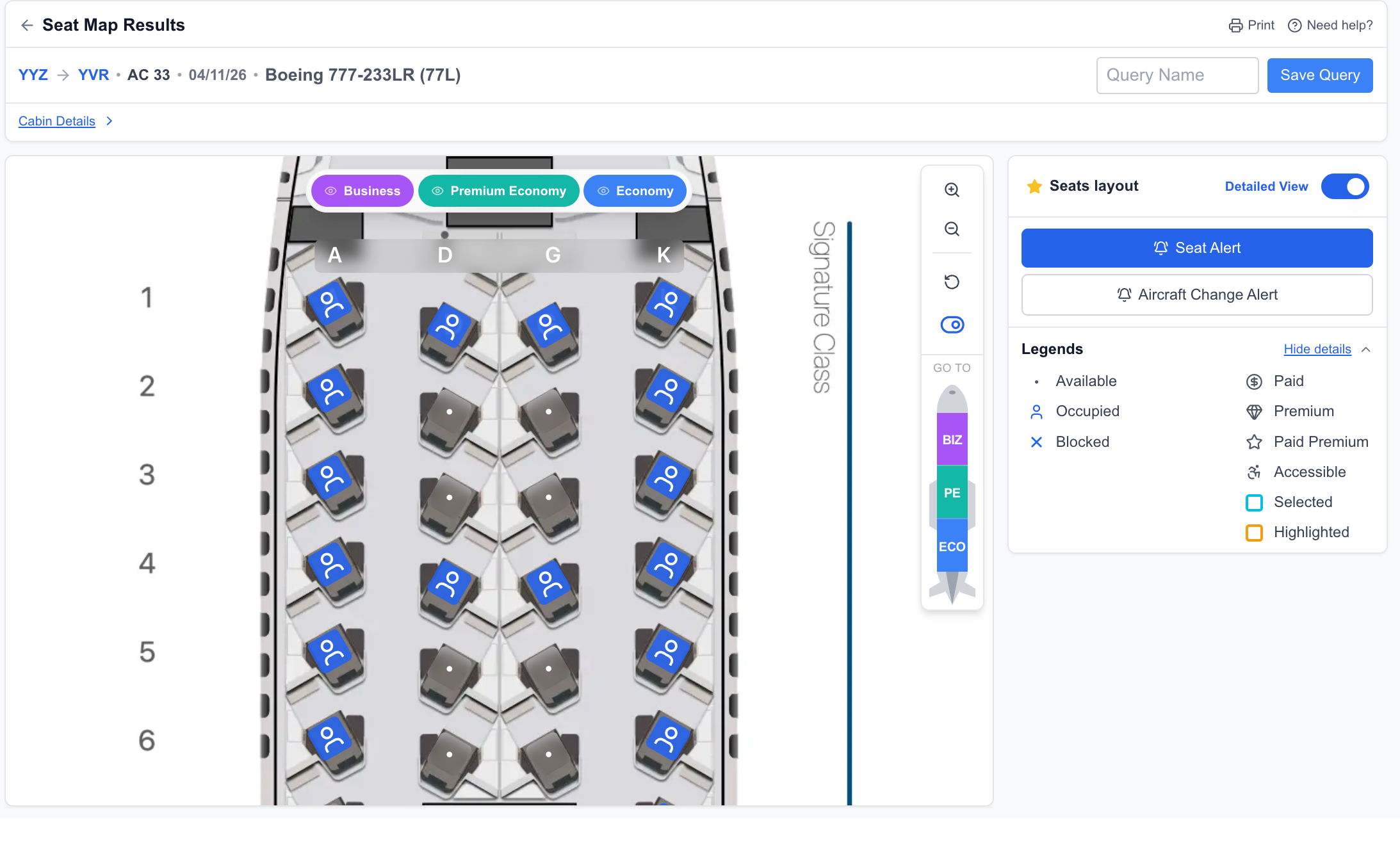
That said, I still prefer going directly to aeroLOPA’s own site for seat map research. The detail is the same, but the larger screen real estate makes it easier to compare cabins and read the fine print on seat specifications. ExpertFlyer’s embedded version can feel a bit cramped, especially if you’re trying to compare configurations across different aircraft variants on the same route.
Where ExpertFlyer’s seat map integration does shine, though, is in combination with its seat alerts. You can identify the exact seat you want on the map and then set an alert to grab it the moment it opens up – that’s a workflow you can’t replicate on aeroLOPA alone. For Canadians flying Air Canada’s mixed fleet – where the difference between a 777-300ER with the new business class suites and one with the older pods can make or break a long-haul flight – this kind of precision is genuinely useful.
Expanded American Airlines Systemwide Upgrade Search
This one is niche but powerful for the right audience.
ExpertFlyer now lets you search for American Airlines Systemwide Upgrade (SWU) availability across routes up to 330 days in advance. Previously, you were limited to single-route searches within narrow timeframes.
The new search is much broader – you can now run queries like “anywhere in the United States to anywhere in Europe” and see where SWU space is opening up. This is exclusive to the Elite tier.
For most Canadian travellers, this feature won’t move the needle – AA systemwide upgrades are a perk for AAdvantage Executive Platinum members and above, and the qualifying thresholds are steep. But if you hold that status through cross-border work travel or credit card status matches, the expanded search is a significant time-saver over checking routes one by one.
Passport and Visa Requirements
This isn’t a new feature, but it’s one that often flies under the radar. ExpertFlyer includes a passport and visa requirement checker that lets you look up entry and transit visa rules by citizenship and routing.
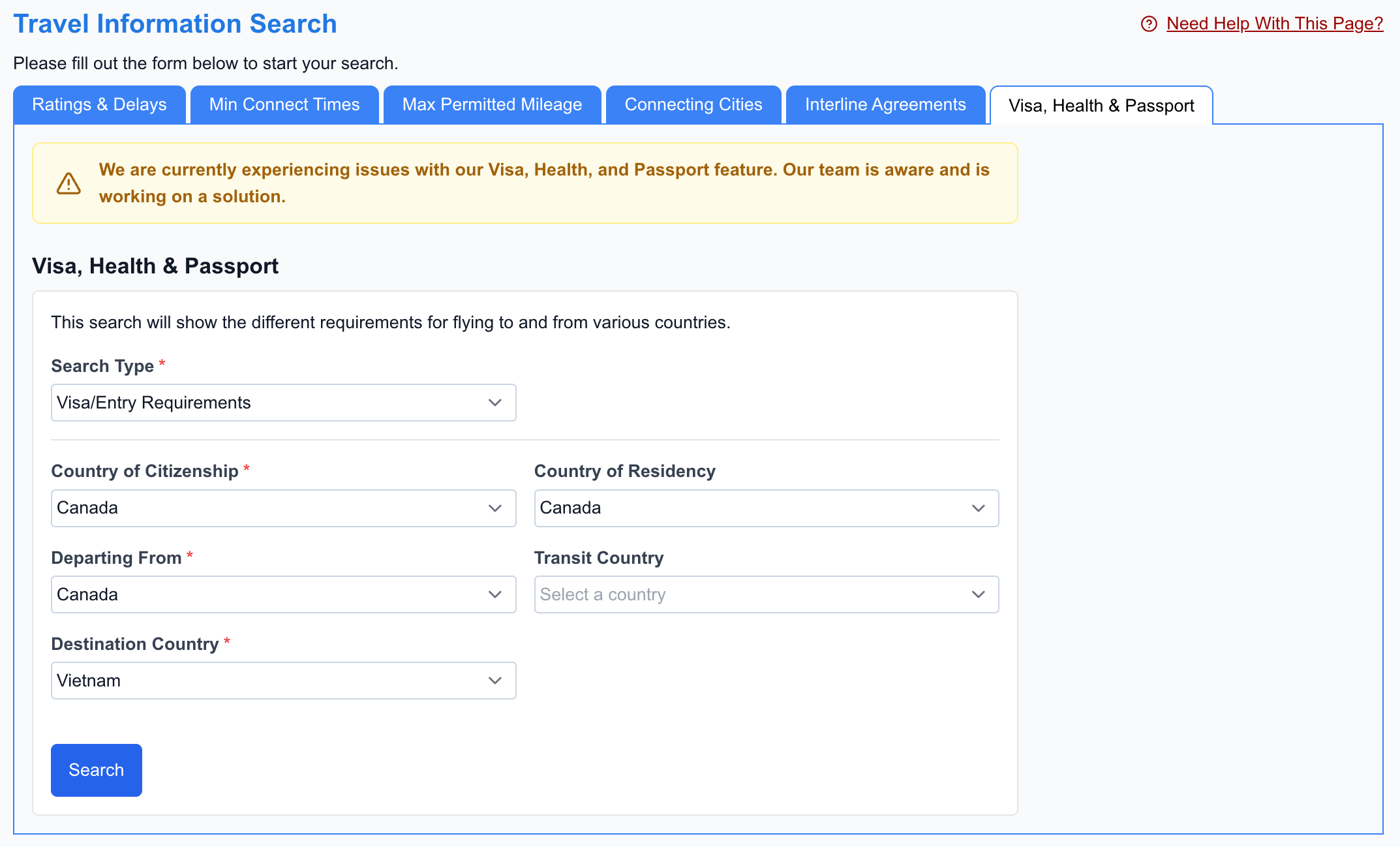
If you’re the type of traveller who builds complex multi-city award itineraries – say, Toronto to Istanbul with a stopover, then onward to the Maldives – being able to quickly verify transit visa requirements without leaving the tool is a nice convenience. It’s not going to replace a dedicated resource like Timatic or your airline’s own visa checker, but for a quick sanity check while you’re planning, it does the job.
Flight Delay Intelligence
Another underrated feature is ExpertFlyer’s flight status tool, which often goes a step beyond what airlines show you.
Instead of a vague “delayed due to operational reasons,” ExpertFlyer will surface the actual cause – whether it’s a mechanical issue, an air traffic control hold, crew scheduling, or weather at a connecting airport. This can be genuinely useful when you’re sitting at the gate trying to decide whether to rebook or wait it out. A weather delay at your destination is likely to resolve; a mechanical issue on your specific aircraft is a different story.

How ExpertFlyer Fits into the 2026 Award Search Landscape
The award search tool space has gotten crowded. Roame, AwardLogic, Awayz, Seats.aero, and others all offer broader award availability search with their own alert systems.
So where does ExpertFlyer still fit?
My honest take: ExpertFlyer’s strength has never been about discovery. It’s about precision. If you already know the exact flight you want and you need to monitor a specific fare class or seat, ExpertFlyer does that better than anyone else.
Here are the scenarios where it still makes the most sense:
- Tracking specific seat releases: You want a particular seat on a particular aircraft, and you need an alert the moment it becomes available
- Aircraft change monitoring: Your flight’s equipment matters to you (lie-flat vs. angled seat), and you want to know immediately if the airline swaps the plane
- Fare class monitoring: You’re watching for a specific fare bucket to open up that would allow an upgrade or a better booking class
- Schedule change detection: You want to be notified if your flight time shifts, which can affect tight connections or stopover plans
If your workflow is more about browsing open award space across flexible dates, Roame or AwardLogic are still better starting points. But once you’ve identified the flights you want, ExpertFlyer’s alert depth is hard to beat.
[potbox cc-bmo-viporter-world-elite-mastercard]
Conclusion
ExpertFlyer’s update addresses most of the complaints that kept people away. The alert limits were embarrassingly low before, and bumping Basic from 4 to 50 makes the entry-level plan actually usable for the first time. The seat map improvements fill a real gap post-SeatGuru (even if I still prefer aeroLOPA’s standalone site for the browsing experience), and the utility features like delay intelligence and visa checks round out the package.
At $5.99 USD/month for Basic or $10.99 USD/month for Premium on an annual plan, the pricing is reasonable – especially if you’re the type of traveller who books specific flights and then wants to optimize your seat, upgrade chances, or award availability after the fact.
It’s not a replacement for broader tools like Roame or AwardLogic, but it was never trying to be. If you value precision monitoring over wide-net discovery, ExpertFlyer just became a much stronger option than it was a month ago.
This story originally appeared on princeoftravel

