


The DJI Osmo 360 is an excellent example of how to do a 360-degree camera system right. Its massive optional selfie stick is overkill for most people.
Apple has, in recent years, made its iPhones more useful for videography. However, while it has features like Action Mode to make it useful for filming fast activities, it’s still not exactly the best choice for some more hazardous situations.
In cases where someone wants to ski down a mountain, the action camera is still king. In cases where you want more control over how a shot is framed instead of a fixed-on-body position that looks bad, you need a 360-degree camera.
The DJI Osmo 360 is DJI’s latest take on the action cam genre is the Osmo 360, a camera with a pair of fisheye lenses and cameras. Each camera and lens pair covers a 180-degree field of view, or half a sphere, which are then combined into a single image.
Like other 360-degree cameras, this can be used to capture footage from all possible angles. The resulting footage can then be viewed as a 360-degree video or cropped into a more standard video frame from the perfect angle.
The DJI Osmo 360 is a pretty good version of this form, and one that could be a viable choice for avid snowboarders and sports enthusiasts.
DJI sent over the DJI Osmo 360 Adventure Combo, which includes the camera, extra batteries and battery case, a rubber lens protector, protective pouch, cleaning cloth, a quick-release adapter mount, a USB-C PD cable, and a 1.2-meter (3.9 foot) Invisible Selfie Stick.
The Standard Combo includes all but the selfie stick, the quick-release adapter mount, and the battery case.
DJI also shipped along two accessories: the Osmo Battery Extension Rod and the Osmo 2.5-meter (8.2 feet) Extension Carbon Fiber Selfie Stick.
DJI Osmo 360 review: Physical design
The actual DJI Osmo camera is a chunky block of plastic, measuring 2.4 inches wide by 3.1 inches tall and 1.4 inches thick. At 6.5 ounces, it’s also pretty dense for a piece of kit, though not necessarily for something that will be used as an action camera.
Some of the thickness is due to the two camera lenses, which stick out from each side.
The front face has one camera lens with an indicator LED and DJI branding, while the other has the second lens and a large 2-inch touchscreen, as well as two physical buttons. That screen is nice and bright when turned on, and gives a view of what the cameras are picking up that you can quickly flick to change.
The two buttons below the screen deal with recording duties and changing the view for the screen, among other functions. On one edge side is the power, as well as a locked panel hiding a USB-C connection.
The other edge side has another locked panel, which houses the battery compartment and a microSD card slot. DJI does include 105GB of built-in storage, which is great to have since you don’t specifically need a microSD card to use it.
Both of these panels are treated to prevent water from seeping in, which helps since it is billed as being waterproof. However, DJI does warn that while it has an IP68 rating, it shouldn’t be used for long underwater sessions, and to stick to a depth of at most 10 meters (32.8 feet).
Of the non-stick inclusions, the battery case is a similar rugged plastic design, and is capable of recharging up to three of the 1,950mAh batteries used by camera.
While the included case is just the right size for the Osmo 360, I get the feeling that the protective rubber lens cover will get more use. It’s easy to think of someone tossing the camera in its rubber cover into a bag along with a selfie stick for a weekend’s recording session.
DJI Osmo 360 review: Main specifications
The main feature of this action camera is that it uses square high-dynamic-range image sensors instead of rectangular versions. Instead of a trimmed rectangular sensor, DJI went with 1-inch image field square sensors to reduce the bulk.
The pixel allocation as a 4K-resolution square means it also uses more of the pixels than a rectangular counterpart.
This gives it quite a few benefits, such as shooting native 8K panoramic videos. It also uses 2.4-micrometer pixels which are quite large, allowing it to capture more light, including to a 13.5-stop dynamic range at 8K 50Hz.
Its connectivity goes further, including shooting at 4K 100Hz for panoramic slo-mo video, which can be pushed to 4K 120Hz for one lens.
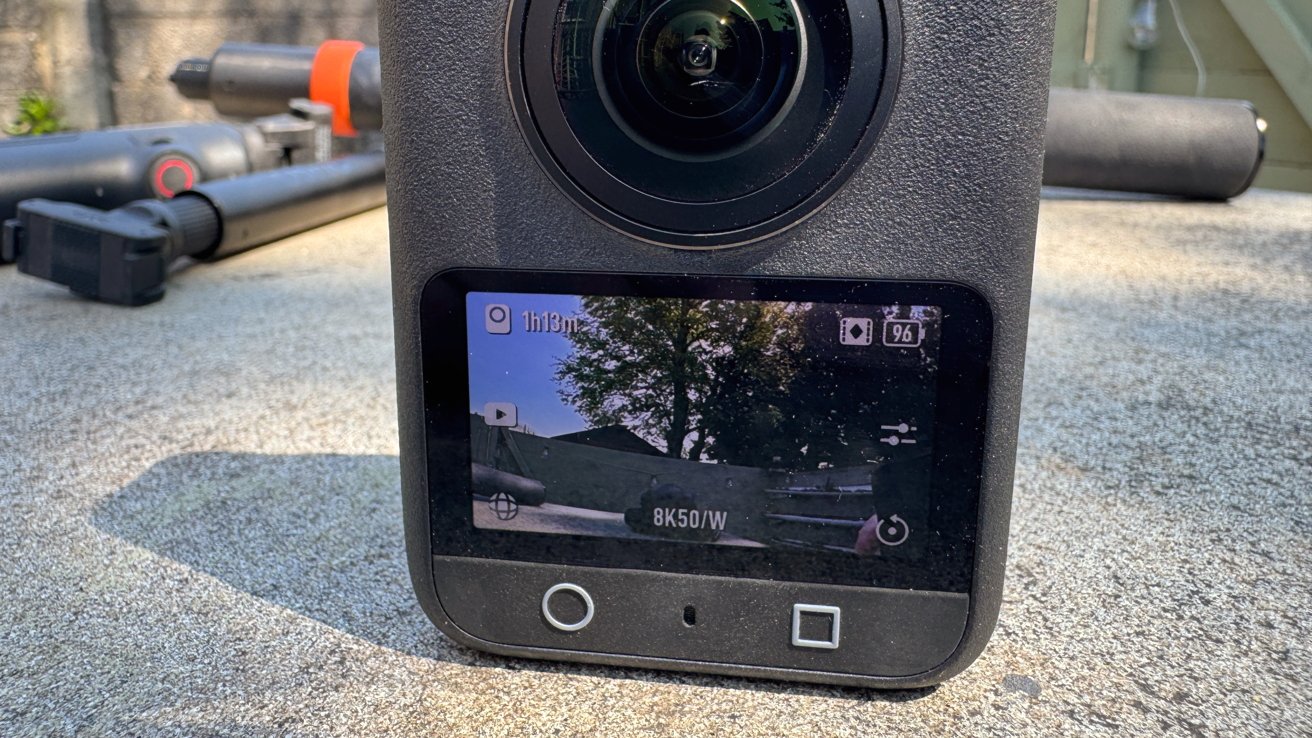
DJI Osmo 360 review: The preview touchscreen can be scrolled around.
DJI also boasts that it has a SuperNight Mode for capturing late-night shots.
This is also recorded using built-in image stabilization systems, including RockSteady 3.0 and HorizonSteady. The former can be used when exporting via the mobile app, while the latter works with regular flat videos in a standard field of view, not 360 video.
When it comes to creating the actual 360-degree video, there’s a minimum stitching distance of 75 centimeters (2.4 feet), otherwise, you get artifacting for anything closer to the lens and at the edge of the image. It also has an invisible selfie stick feature which hides the mount, but that’s quite a standard thing to use now.
DJI Osmo 360 review: In use
Getting up and running with the Osmo 360 is fairly quick and easy when using it directly. Powering it up, you can then press the circle button to immediately start recording 8K 360-degree footage for up to an hour.
The two-inch screen gives one view, which you can scroll around with your finger. It’s a pretty neat system, and can help you visualize shots like a selfie on the fly.
Around the edge of the screen are indicators for different options, like viewing recorded local video, switching between modes, adjusting camera settings, and swiping down for the general settings.
The modes include Panoramic Video and Photo, as well as Supernight, Selfie, Vortex, and Hyperlapse for the 360-degree camera view. There are also single lens modes like Photo, Video, Supernight, and Boost, which is a wider field of view than normal.
Going through the camera settings, there are options to enable Anti Motion Blur and to adjust the texture and noise reduction of an image, while a Pro button takes you to a lot more of the advanced settings. This includes things like exposure and white balance control, and whether you want 10-bit “Normal” color or the D-Log M 10-bit version.
The latter of the two will be of interest to videographers who want more control of the colors of the final clip.
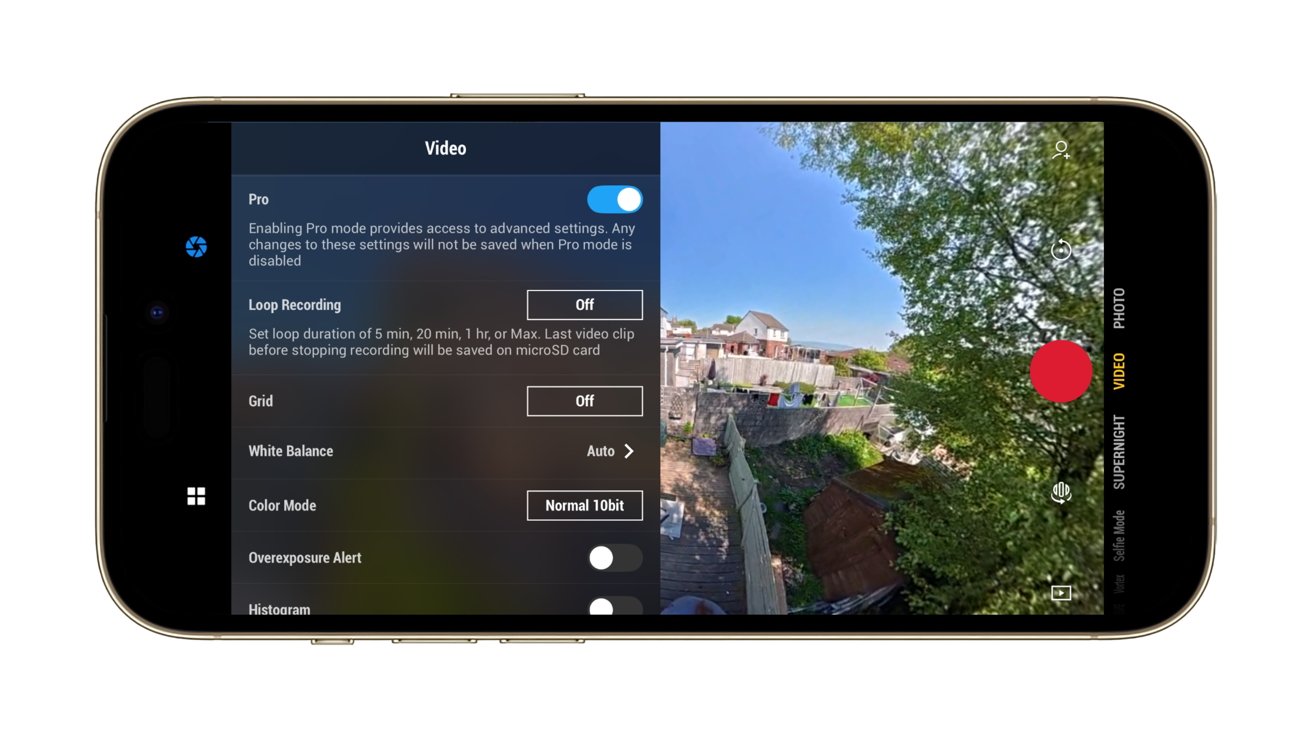
DJI Osmo 360 review:Using the camera from an iPhone
The main settings handles everything from connectivity to a mobile device, locking the orientation, enabling gesture controls, connecting wireless earbuds, if you’re using built-in storage or microSD, and other elements.
While there are four onboard mics that do a fairly good job of environmental recording, DJI does give the option to use its ecosystem of microphones with the Osmo 360. If you happen to own a Mic Mini or Mic 2, you can record two audio tracks with the cameras as well.
In our time with it, we found it to have pretty good image quality overall. You can still see seams where the two camera pictures meet up, but the majority of the time that is for items that are closer than the minimum advised join distance.
As a camera in its own right, it feels intuitive to use, even if you don’t consider using it with other devices. Though, for the purposes of editing, you really should.
DJI Osmo 360 review: Sticks
There are three selfie sticks for this review, including the default 1.2M Invisible Selfie Stick. Made from plastic with a rubber grip, it has a thread in the base and a screw thread at the other end, for attaching to the camera.
It’s a fairly beefy version of a selfie stick, and certainly isn’t flimsy. There’s no articulation at the business end, as you would anticipate with a fairly cheap and run-of-the-mill selfie stick, but you can remedy that with the Adjustable Quick Release Adapter Mount in the Adventure Combo.
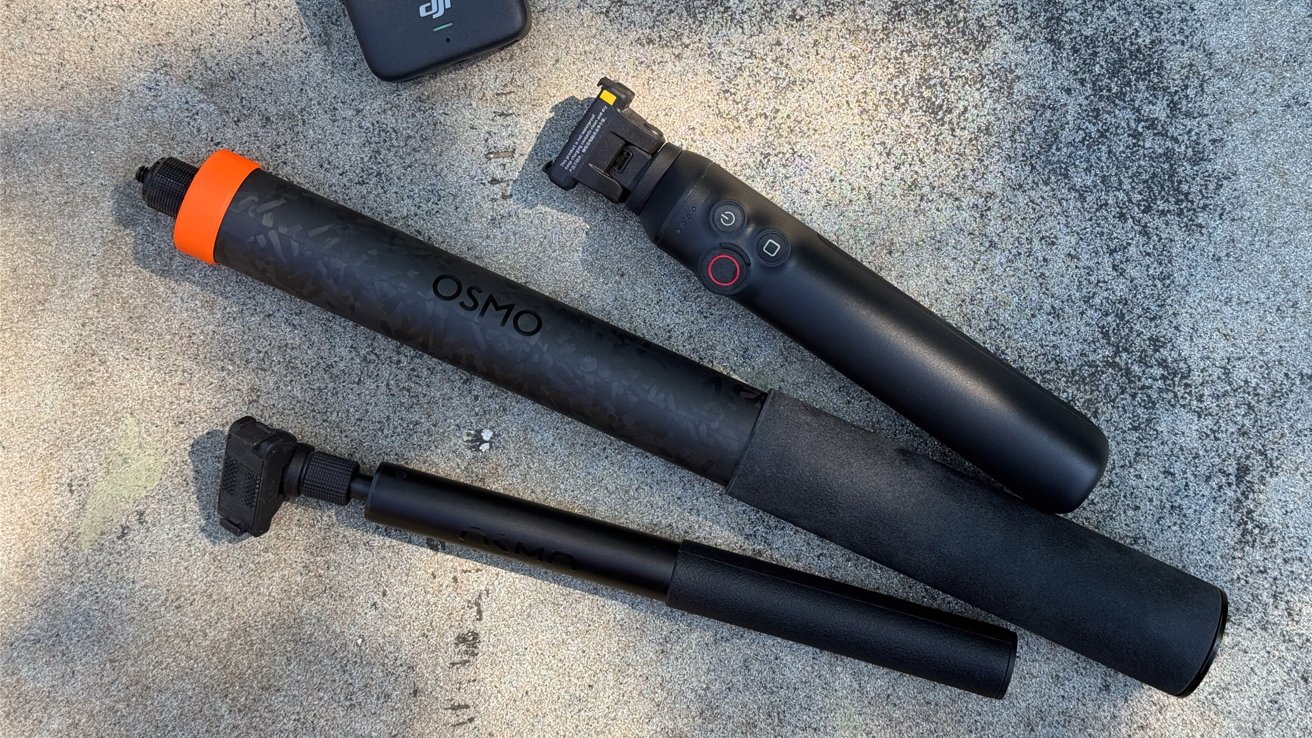
DJI Osmo 360 review: A trio of selfie sticks
While you can attach the camera using the typical thread method, the mount uses two side hooks and strong magnets to pull the camera into position and to dock. Pressing the side buttons to unhook and a small pull releases the camera again.
The mount doesn’t freely move from straight to angled, but instead uses a button to unlock the angular movement. On the one hand, this is really smart and prevents any unwanted movement, but it does also limit the mount to two locked positions.
The second sent for review is the Battery Extension Rod. As a selfie stick, it works like the included Invisible version, with the mount built-in, except it only extends to 2.9 feet.
It’s a chunkier version, because it has a built-in battery that feeds the camera for another four hours.
Handily, it also has limited controls for the camera, letting you start the record or switch the screen’s view without fiddling directly with the camera. This is very useful as a quality-of-life feature, but it’s the only one of the group to have it.
At $99.99, it’s an add-on that is probably worth it for the occasional holiday, especially since it would save you from carrying around extra batteries for the camera.
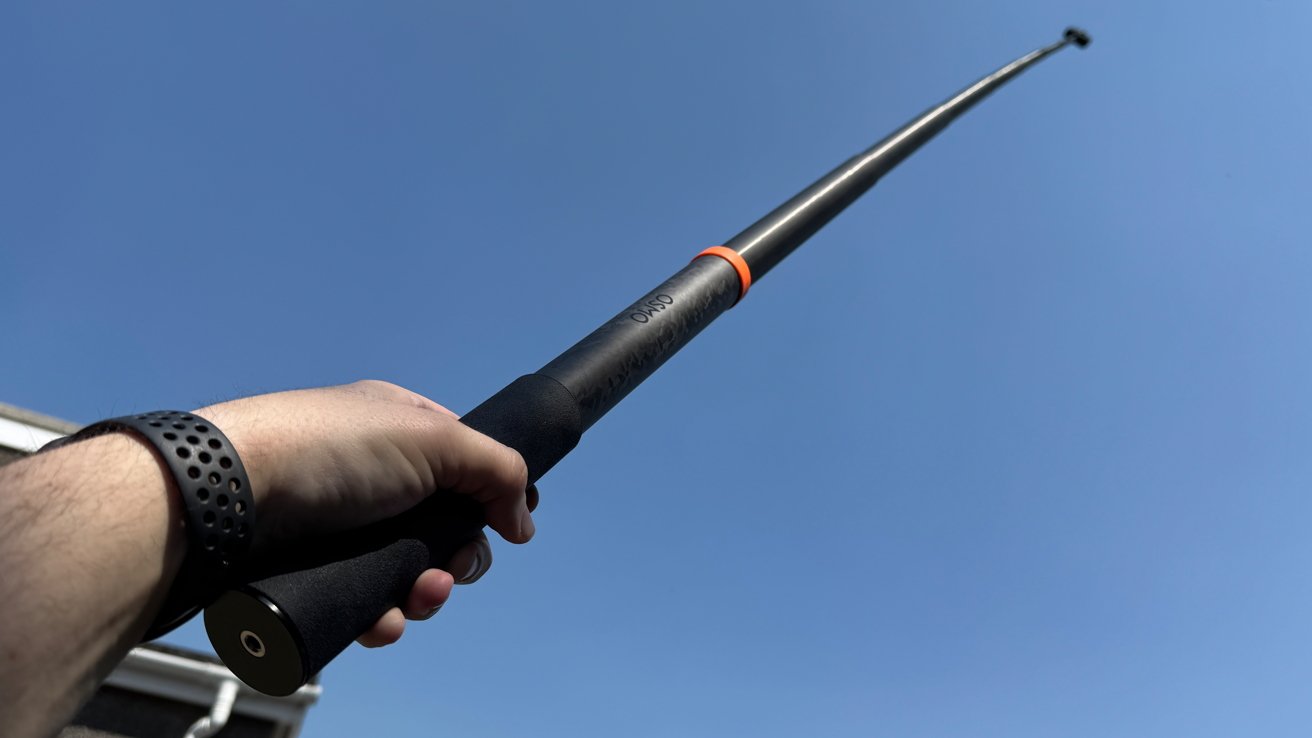
DJI Osmo 360 review: The 2.5M Extended Carbon Fiber Selfie Stick at full stretch
The 2.5M Extended Carbon Fiber Selfie Stick is the last and somewhat absurd option. It’s an absurd length for a selfie stick, at 8.2 feet, making it taller than anyone actually using it. Few will probably have much use for it, aside from those who want selfies from really far away.
More practically, it could give the effect of having a drone nearby while not breaking any local laws surrounding drone usage. There’s also no buzzing blades either, so feasibly less of a problem for recording animals.
It too is $99.99, but it’s really only useful for a small number of people who want the drone effect without the drone hassle.
DJI Osmo 360 review: Mobile and Mac app
The mobile app that works with the DJI Osmo 360 is DJI Mimo, which handles multiple duties on an iPhone.
For live shooting, it provides a view from the Osmo 360, which you can again scroll around at will.. There are controls for resolution, frame rate, various shooting modes, and advanced “Pro” settings, which are easier to use than having to reach for the camera mid-use.
The mobile app also lets you watch footage stored on the Osmo 360, thanks to its Wi-Fi connection, which you can either stream from the camera or download locally for a better resolution.
In this view, you can scroll around the footage and change the camera angle, which then changes what the final standard non-spherical video shows on export. You can do this manually with swipes and keyframes, but there are options like GyroFrame that uses your iPhone’s movements to change what is in frame, as well as subject tracking.
If you can’t face going through that process, there’s also an AI-based Highlights feature that creates clips for you.
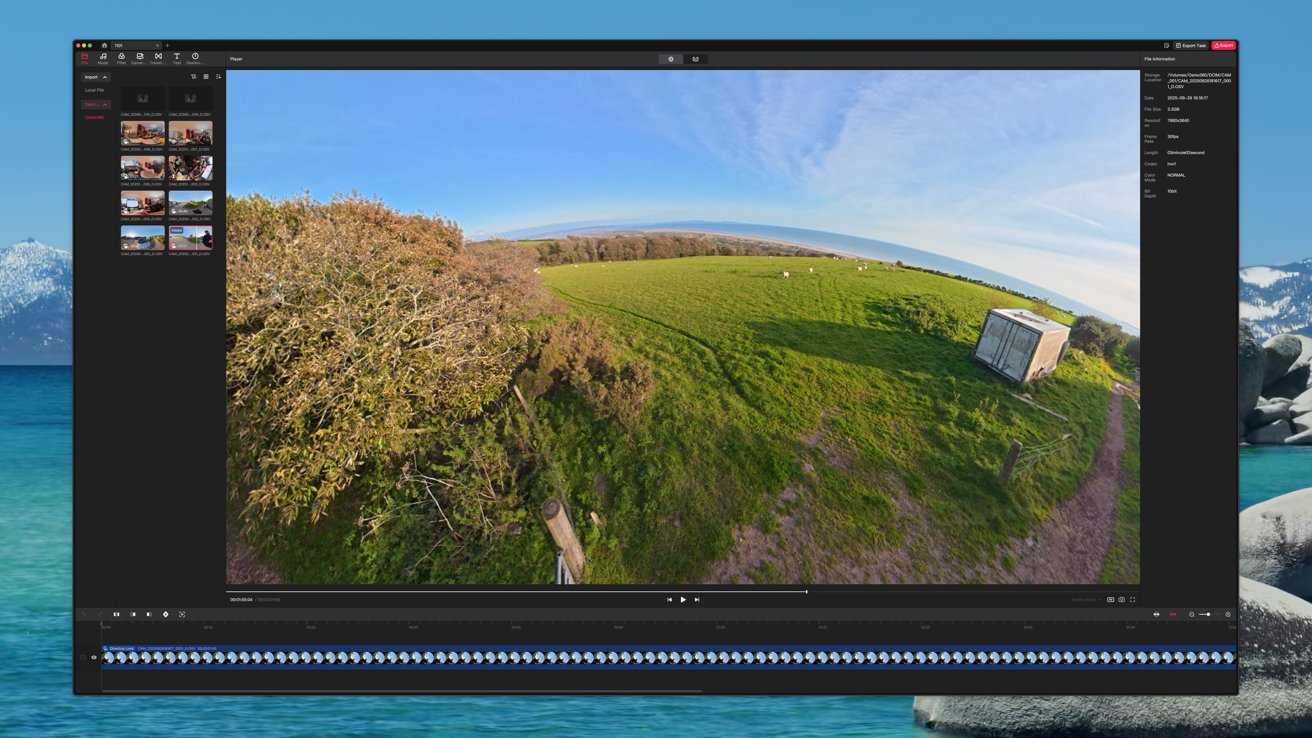
DJI Osmo 360 review:DJI Studio can be used to edit videos.
While this is good for sharing and short clips, you can also import the videos to DJI’s Studio for macOS. It’s an application for viewing the files from the Osmo 360, complete with mouse drags to move around the frame, as well as for editing clips.
You can add clips, change the angle and set them with keyframes, and perform more advanced movements than you can on the iPhone app. The results will be much better from this tool, which may not necessarily need any further changes to the exported video in iMovie or Premiere afterward either, if you’re careful.
DJI Osmo 360 review: A good allrounder
DJI’s experience with drone videography and action cameras have resulted in a 360-degree camera that does an awful lot of work. It’s small enough to go on holiday with, and usable enough to treat like a typical action camera, in cases when you wouldn’t want to use your iPhone.
Despite its size, its resolution and capabilites makes it a viable option for videography usage. Its use of 10-bit footage and optional use of Log will be welcomed, along with the more advanced camera settings.
As a good action camera should, the DJI Osmo 360 is user-friendly for the general public, but with enough options to make more adventurous users happy.
The only real problem is finding a justifiable excuse to whip out the massive selfie stick.
DJI Osmo 360 pros
- 8K resolution, 10-bit video
- Easy to use, with expert options
- Mobile and Mac apps are intuitive and useful
- Pocketable design
DJI Osmo 360 cons
- High MSRP, buy on a discount
- Flaps are a litle fiddly to open
Rating: 4.5 out of 5
Where to buy the DJI Osmo 360
The Osmo 360 Standard Combo is $549.99, with the Adventure Combo at $699.99.
The two bundles are available on Amazon, at $357.49, discounted from $549 for the standard bundle. The Adventure combo can be bought for $493.70, discounted from $699.99.
This story originally appeared on Appleinsider

